









No, the QueenWin Casino app uses Progressive Web App technology that installs straight from the website. You won’t find us in Google Play or the App Store. Just visit the site through your mobile browser and follow the installation prompts to add the app to your home screen in seconds.
 Special BonusConfirm email & deposit toget 20 free spins
 Welcome BonusFirst deposit bonusGet 250 Free Spins
- PWA Technology Behind the QueenWin Casino App
- Complete Setup Guide for Android Users
- iPhone and iPad Installation Walkthrough
- Creating Your Player Account on Mobile
- Exploring Game Categories on the QueenWin App
- Graphics Quality and Fast Load Times on Mobile Networks
- Claiming Your Welcome Bonus via the Casino App
- Weekly Cashback Programme for Mobile Players
- Understanding VIP Treatment on Your Mobile Device
- Banking Options Tailored for UK Mobile Users
- Managing Responsible Gaming Tools Through the App
- Reaching Customer Support via Live Chat and Phone
- Maximising Big Wins on Your Smartphone
- Automatic Updates and New Features Rollout
- Wide Array of Payment Methods in GBP Currency
- Start Playing Within Minutes of Installation
QueenWin Casino App - Play Slots and Live Casino on Mobile Devices
The QueenWin Casino app gives UK players instant access to over 4000 casino games without downloading anything from app stores. This Progressive Web App lets you jump straight into slots, live casino action, and sports betting from your smartphone or tablet in seconds. Your account syncs automatically across all devices, so you can pick up right where you left off whether you’re at home or on the move anywhere in the United Kingdom.
PWA Technology Behind the QueenWin Casino App
The QueenWin Online Casino app runs on Progressive Web App technology instead of being a regular app from Google Play or the App Store. This gives UK players some real benefits:
- Automatic updates – New games and features show up without you doing anything
- Tiny file size – Takes up just 120 MB versus 200-500 MB for typical casino apps
- No app store hassles – Install straight from the official QueenWin Casino website
- Works on everything – Runs the same way on Android and iOS devices
- Bank-level security – SSL encryption keeps your money and details safe
- Push alerts – Get notified about bonuses, tournaments, and special offers
Once you’ve got it installed, the PWA works just like any app you’d download from a store. Same smooth performance, same easy-to-use layout that modern mobile casino players expect.
Complete Setup Guide for Android Users
Getting the Queen Win Casino app on your Android phone takes about two minutes, and you don’t need to be tech-savvy to do it. We’ve kept the process dead simple for all UK players.
Installation Steps:
- Open Chrome, Samsung Internet, or whatever browser you normally use on your phone
- Go to the QueenWin Casino website
- Tap the menu icon (three dots) in the top-right corner
- Pick “Add to Home Screen” from the list
- Confirm by tapping “Install”
- The QueenWin app icon pops up on your home screen
Your phone might show a warning about unknown sources – that’s just Android being cautious. Head to Settings > Security > Unknown Sources and turn on installations from your browser. This lets the casino app install properly while keeping your phone secure overall.
iPhone and iPad Installation Walkthrough
iOS users need to use Safari to install the QueenWin Casino app, since Apple only allows Progressive Web Apps through their own browser. The steps are slightly different from Android but just as quick.
Safari Installation Process:
- Open Safari on your iPhone or iPad (needs iOS 10 or newer)
- Type in the QueenWin Casino website address
- Tap the Share icon at the bottom middle of your screen
- Scroll down and pick “Add to Home Screen”
- Hit “Add” in the top-right corner
- Use the Queen Win Casino app from your home screen like any other app
The PWA fits right into iOS by hiding the Safari bars and buttons, giving you a proper full-screen app experience. Your login, game progress, and balance stay in sync across every device where you use QueenWin Casino.
Creating Your Player Account on Mobile
Signing up for QueenWin Casino through the mobile app follows the same secure steps as desktop registration, just with buttons and forms sized right for phone screens. You can finish the QueenWin Casino Registration in under three minutes and start playing.
Quick Registration Checklist:
- Put in your email address and make a strong password
- Give your full name, birthday, and home address
- Tick the box saying you’re 18 or over and accept the Terms & Conditions
- Click the confirmation link in the email we send you
- Upload your ID and proof of address for verification
- Drop in your first deposit to grab the welcome bonus
Your account goes live as soon as you verify your email, though we might ask for more documents before paying out your first withdrawal. This stops fraud and keeps UK players safe while meeting our licensing rules.
Exploring Game Categories on the QueenWin App
The QueenWin Casino app gives you the full game library with over 1000 titles from 50+ verified software providers. Games sit in clear categories for easy browsing, and you can search by name or filter by provider to find what you want fast.
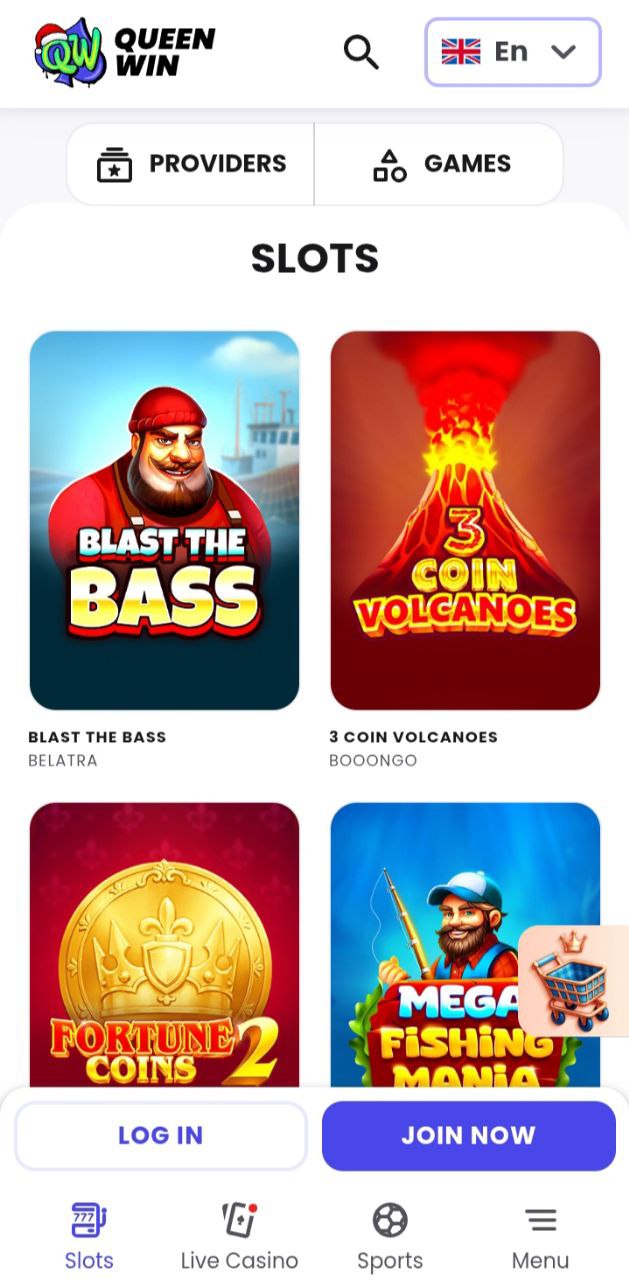
Spinning Slots from Leading Providers
Slots take up most of the game lobby, with hundreds of choices from simple three-reel classics to modern video slots packed with bonus rounds and progressive jackpots. Every slot on desktop works on mobile too, with tap controls instead of mouse clicks.
| Game Title | Provider | RTP | Max Win |
| 3 Coin Volcanoes | Booongo | 96.15% | x5000 |
| Bonanza Trillion | BGaming | 97.20% | x10,000 |
| Lucky Penny 2 | CT Interactive | 96.50% | x2500 |
| Book of Sun Multichance | Booongo | 95.50% | x5000 |
| Aztec Sun | Felix Gaming | 96.80% | x1000 |
| Santa the Slayer | MrSlotty | 96.00% | x3000 |
All games work in demo mode for free practice or real money mode for actual winnings. The casino app remembers what you like to bet and which games you play most, so your experience gets more personal the more you use it.
Experiencing Live Dealer Games in Real Time
Live casino pulls in loads of mobile players, streaming real dealers from professional studios straight to your phone. We work with LuckyStreak, Vivo Gaming, and BetGames to bring a proper casino atmosphere through your smartphone screen.
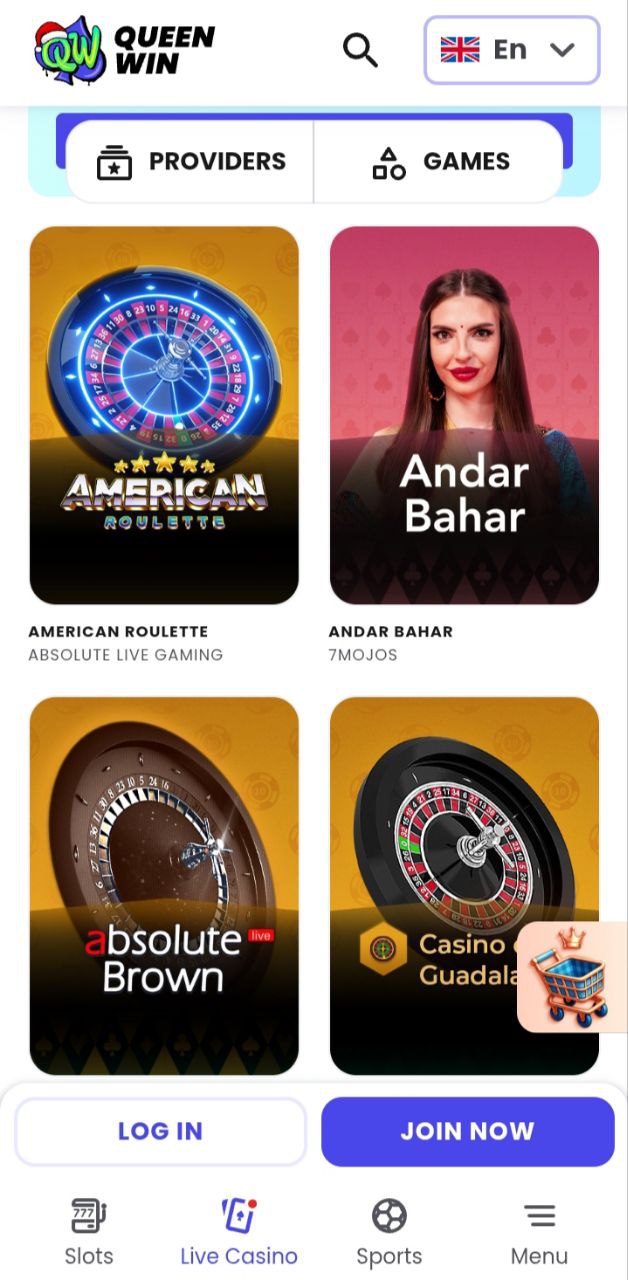
Try live blackjack at tables with different bet limits for everyone from casual players to big spenders, or have a go at European, American, or Lightning Roulette. Live baccarat, game shows, and poker variants round out the live dealer options. The video quality adjusts on the fly based on your connection speed, so gameplay stays smooth whether you’re on Wi-Fi or mobile data.
Placing Sports Bets Through Your Phone
The QueenWin Casino Online app goes beyond casino games with full sports betting features. UK players can bet on football, tennis, basketball, cricket, and loads of other sports with solid odds and live in-play betting.
Hit the sports betting section from the main menu to check upcoming matches, see live scores, and place singles or accumulators. Your sports betting money sits in the same account as your casino funds, so you can move between them easily. Both pre-match and live betting are available, with odds changing in real-time as games happen.
Graphics Quality and Fast Load Times on Mobile Networks
We’ve tuned the Queen Win Casino app to run well even on average internet connections. Games pop up in 2-5 seconds on 4G networks, while Wi-Fi gets you in almost instantly. Our compression tech cuts down data usage without making games look worse, so mobile gaming won’t hammer your data allowance.
| Connection Type | Average Load Time | Data Usage per Hour |
| 5G Network | 1-2 seconds | 50-80 MB |
| 4G Network | 2-5 seconds | 80-150 MB |
| 3G Network | 5-10 seconds | 40-60 MB |
| Wi-Fi Connection | 1-2 seconds | 100-200 MB |
Claiming Your Welcome Bonus via the Casino App
New UK players joining QueenWin Casino Online through mobile get the same bonus deals as desktop sign-ups. The welcome package throws 250 free spins at you on your first deposit, giving you plenty of time to explore the slots. Check out the QueenWin Casino Bonuses page for all the details and terms.
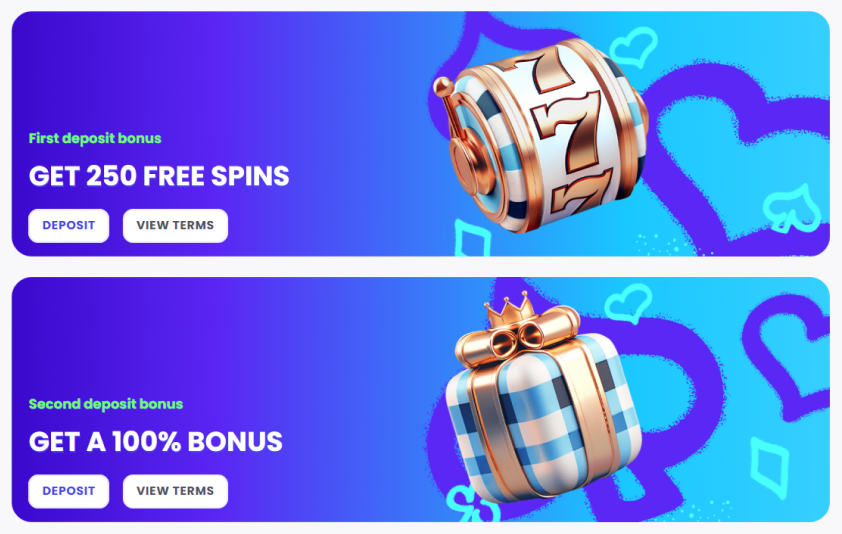
Bonus Activation Guide:
- Finish registration and verify your email through the app
- Go to the deposit section and pick your payment method
- Deposit at least £40 to qualify for the 250 free spins
- Spins land in your account within minutes
- Wagering requirements are x40 before you can withdraw
- Maximum cashout from free spins is £500
All promos work through the casino app, including weekly reload bonuses, Monday cashback, and loyalty programme rewards. Turn on push notifications so you know when new promos drop or when you’ve qualified for bonus offers.
Weekly Cashback Programme for Mobile Players
Every Monday, QueenWin Casino works out your losses from the past week and credits 10% back to your account as cashback. This runs automatically for all active players from Loyalty Level 3 up, giving you a cushion when luck isn’t going your way.
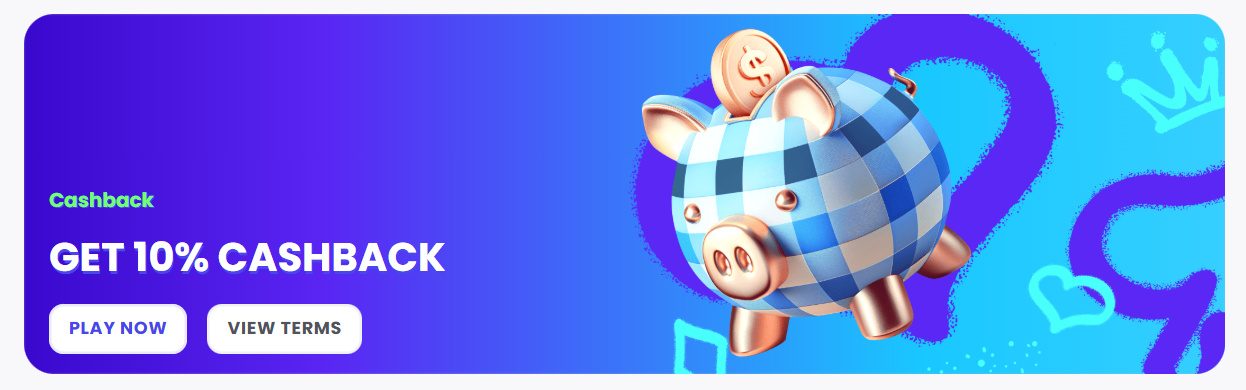
Cashback Calculation Example:
- Total deposits last week: £500
- Current balance: £50
- Pending withdrawals: £0
- Net losses: £450
- Your cashback: £45 (10% of £450)
Cashback shows up in your bonus section and needs wagering before withdrawal. The wagering amount drops as you climb loyalty levels, from x10 at lower tiers down to just x1 for VIP Diamond members. You’ve got 72 hours to activate and wager your cashback or it disappears.
Understanding VIP Treatment on Your Mobile Device
The QueenWin Casino VIP Club works the same on mobile and desktop, with your tier based on how much you deposit and wager each quarter. Hit Bronze status with £5,000 deposited and £50,000 wagered to unlock special perks.
| VIP Tier | Cashback Rate | Withdrawal Limit | Key Benefit |
| Bronze | 10% weekly | £7,500/week | Exclusive promo codes |
| Silver | 10% weekly | £10,000/week | Higher payout limits |
| Gold | 10% + 3% extra | £15,000/week | Personal VIP manager |
| Platinum | 10% + 3% extra | £20,000/week | Custom bonuses |
| Diamond | 10% + 5% extra | £30,000/week | Zero wagering offers |
VIP members get birthday gifts, invites to private tournaments, and first crack at new games. Your personal VIP manager answers through live chat, email, and phone to sort withdrawals, bonus questions, and anything else you need handled quickly.
Banking Options Tailored for UK Mobile Users
The QueenWin Casino app takes all the main payment methods UK players use, with transactions running through secure encrypted channels. Deposits hit your balance in minutes, while withdrawals usually clear within 24-48 hours after verification.
| Payment Method | Minimum Deposit | Maximum Deposit | Processing Time |
| Visa/Mastercard | £20 | £5,000 | Instant |
| Bank Transfer | £20 | No limit | 1 business day |
| PayPal | £20 | £10,000 | Instant |
| Skrill/Neteller | £20 | £10,000 | Instant |
| Bitcoin/Crypto | Variable | Variable | 10-30 minutes |
All money stuff shows in GBP, so you don’t lose anything on currency conversion. We don’t charge fees for deposits or withdrawals, though your bank or e-wallet might add their own charges. Withdrawals go back to whatever method you used to deposit when possible.
Managing Responsible Gaming Tools Through the App
QueenWin Casino Online has complete responsible gaming tools built right into the mobile interface. UK players can set daily, weekly, or monthly deposit limits to control spending, with limits kicking in straight away after you confirm them.
Available Protection Options:
- Deposit limits (daily/weekly/monthly)
- Loss limits to cap how much you can lose
- Session time reminders at whatever intervals you want
- Reality checks showing time and money spent
- Cooling-off periods from 24 hours to 6 weeks
- Permanent self exclusion for serious gambling problems
Reaching Customer Support via Live Chat and Phone
The customer support team stays available around the clock to help UK players with questions or technical problems when using the QueenWin Casino app. The support team speaks several languages, with English-speaking agents always on hand for UK customers.
| Contact Method | Availability | Response Time |
| Live Chat | 24/7 | Under 2 minutes |
| Email Support | 24/7 | 2-6 hours |
| Phone Support | 24/7 | Immediate |
Find live chat through the help icon on every page of the casino app. Give them your account email and a quick description of your problem to connect with an agent. For account verification, withdrawal questions, or bonus queries, support can fix most things in one conversation.
Maximising Big Wins on Your Smartphone
Playing at QueenWin Online Casino through mobile gives you constant access to progressive jackpots, high-RTP slots, and live casino opportunities where big wins happen regularly. A few tactics help boost your winning chances while gaming on your phone.
Stick to slots with RTP rates above 96% for better long-term returns. Games like Bonanza Trillion (97.20% RTP) and Aztec Sun (96.80% RTP) give better odds than lower-RTP options. Use demo mode to practice slot features and bonus rounds before putting real money down.
Automatic Updates and New Features Rollout
The Progressive Web App setup means the QueenWin Casino app updates by itself whenever you open it, skipping manual update hassles. When we add new games, boost features, or tighten security, these changes show up instantly for everyone.
We usually push updates during quiet hours to avoid potential disruption, though most changes happen invisibly in the background. Critical security updates might occasionally need a page refresh, which happens automatically next time you launch the app.
Wide Array of Payment Methods in GBP Currency
UK players get the benefit of handling all money transactions in British Pounds, avoiding currency conversion fees that eat into bankrolls when using international casinos. The QueenWin Casino app processes all deposits and withdrawals in GBP, showing balances and betting limits in your local currency.
Beyond Visa and Mastercard, we take e-wallets like PayPal, Skrill, and Neteller that give instant deposits and faster withdrawals than regular bank transfers. Cryptocurrency options appeal to players who care about privacy and speed, with Bitcoin, Ethereum, and Litecoin all accepted through our CoinsPaid setup.
Start Playing Within Minutes of Installation
The whole journey from finding the QueenWin Online Casino app to placing your first bet takes under five minutes for UK players. Install the PWA, finish registration, verify your email, and drop in your first deposit to immediately access the complete game library and claim your welcome bonus.
New customers can start playing slots in demo mode even before depositing, letting you explore the game selection and find what you like without risking money. When you’re ready to play for real money, QueenWin Casino Online handles payment processing securely and keeps terms transparent to protect your interests as a player.
Mobile gaming is where online casinos are heading, and our focus on giving the best possible experience puts us ahead in the UK market. Download the QueenWin Casino app today and see why thousands of British players trust us for their mobile gaming entertainment.
Common Questions About QueenWin Casino Mobile Gaming
Does the QueenWin Casino app require Google Play or App Store download?
How much storage space does the Queen Win Casino app need?
The Queen Win Casino app needs roughly 120 MB of free storage space on your device, way less than regular casino apps that often demand 300-500 MB. This small footprint works on older phones and devices with limited storage available.
Can I access all the games through mobile devices?
Yes, every game on the desktop version of QueenWin Casino works the same way on mobile. The complete library of 1000+ slots, live dealer games, table games, and sports betting options stays fully accessible through the casino app with no restrictions or missing features.
Is the casino app secure for real money deposits?
The QueenWin Casino app uses industry-standard SSL encryption to protect all financial transactions and personal data. We hold a Curaçao gaming licence and run strict security protocols including two-factor authentication options. Your deposits, withdrawals, and account information stay completely secure while using the mobile platform.
How do I enable notifications for bonuses and promotions?
After installing the QueenWin Casino app, your device will ask if you want to allow notifications. Say yes to get alerts about new bonuses, tournament opportunities, and exclusive offers. You can change notification settings anytime through your device settings or within your QueenWin Casino account settings menu.